2026年6月16日 · 6 min read
Free AI Photo Enhancer - Improve Picture Quality Online with Megick
Free AI Photo Enhancer - Improve Picture Quality Online with Megick
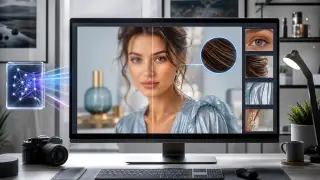
A great photo can lose its impact when it is blurry, compressed, noisy, or too small for modern screens. Megick gives creators a simple way to improve picture quality online without installing complex editing software. Upload an image, choose an enhancement direction, and let AI rebuild clarity, texture, and resolution while keeping the original look intact.
If you are looking for a Free AI Photo Enhancer - Improve Picture Quality Online workflow, Megick is built for exactly that: fast photo enhancement, 4K upscaling, and detail-preserving restoration for portraits, product photos, social posts, old images, and creative assets.
What is an AI photo enhancer?
An AI photo enhancer uses image models to analyze the structure of a picture, then improve the parts that usually break down in low-quality files. Instead of simply sharpening every pixel, AI can understand edges, faces, fabric, textural details, lighting transitions, and object boundaries.
With Megick, photo enhancement can help you:
- Upscale low-resolution photos into clearer HD or 4K images.
- Reduce blur and compression artifacts from old uploads or screenshots.
- Restore fine details in hair, skin, clothing, food, products, and backgrounds.
- Improve contrast and perceived sharpness without making the image look harsh.
- Prepare images for websites, ecommerce listings, posters, portfolios, and social media.
The goal is not to make the picture look artificial. The best enhancement keeps the subject recognizable and preserves the small details that make the original image feel real.
Why use Megick for picture quality improvement?
Megick focuses on practical creative production. You can enhance an image online, generate new creative variations, and keep your visual assets organized in one workflow. For users who need better photos quickly, that matters more than a complicated desktop editing stack.
Megick is especially useful when you need to:
- Turn a small image into a larger presentation-ready file.
- Make product materials look cleaner before publishing.
- Improve creator headshots, profile images, and portfolio images.
- Repair images that were saved from chat apps, social platforms, or compressed websites.
- Create sharper source images before using them in AI design, video, or marketing workflows.
Because the enhancement process is AI-assisted, you can get a polished result with far less manual masking, layer editing, and filter tuning.
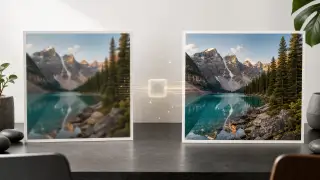
Enhance photos up to 4K while keeping perfect details
A common problem with old upscaling tools is that they make images larger but not truly better. The photo becomes bigger, yet faces can look waxy, fabric textures can disappear, and edges can become crunchy.
Megick is designed for quality-first enhancement. When you upscale toward 4K, the AI works to preserve the details that matter:
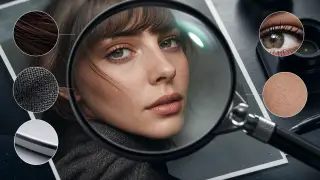
- Natural facial features and skin texture.
- Fine hair strands and soft edge transitions.
- Product labels, packaging lines, and surface materials.
- Clothing patterns, jewelry, furniture, and environmental details.
- Balanced lighting, color depth, and realistic contrast.
This makes the enhanced image easier to use across high-resolution screens, thumbnails, ecommerce galleries, creative decks, and print-oriented layouts.
How to improve picture quality online with Megick
You can use Megick as a quick online AI photo enhancer in a few simple steps.
- Open Megick and go to the image creation or image editing workspace.
- Upload the photo you want to enhance.
- Choose an enhancement or image editing mode that matches your goal.
- Describe the quality target, such as "enhance to 4K, improve clarity, preserve natural details, remove compression artifacts".
- Generate the enhanced image and compare it with the original.
- Download the version that keeps the best balance of sharpness, texture, and realism.
For best results, start with the highest-quality source image you have. AI can recover and rebuild a lot, but a cleaner input gives the model more real detail to preserve.
Suggested prompts for AI photo enhancement
Megick works well when you clearly describe the enhancement target. Try prompts like these:
General 4K enhancement
Enhance this image to 4K quality. Improve sharpness, restore fine details, reduce noise and compression artifacts, keep the original composition and natural colors.
Portrait enhancement
Improve this portrait photo quality. Enhance facial clarity, preserve natural skin texture, restore hair detail, reduce blur, keep the person recognizable and realistic.
Product photo enhancement
Enhance this product image for ecommerce. Improve clarity, restore label and material details, keep accurate colors, clean up compression artifacts, output a crisp high-resolution image.
Old photo restoration
Restore and enhance this old photo. Reduce noise and blur, improve contrast, recover fine details, keep the original mood and avoid over-smoothing.
Small prompt changes can have a big effect. If the first result looks too sharp, ask Megick to keep a softer natural look. If it looks too smooth, ask for more visible texture and detail preservation.
Best images to enhance with Megick
Megick can improve many types of images, but some use cases benefit especially from AI enhancement.
Ecommerce and product images
Clear product photos build trust. A sharper product image can make labels, textures, edges, and colors easier to inspect. This is useful for online stores, marketplace listings, catalogs, and ad creatives.
Social media and creator images
Creators often need profile pictures, thumbnails, banners, and post images that look clean on mobile and desktop. Megick can help make compressed or low-resolution assets look more polished before publishing.
Marketing and design materials
Design decks, landing pages, posters, and campaign visuals often need larger images than the original file provides. 4K enhancement helps you reuse strong visuals across more formats without obvious pixelation.
Old photos and personal archives
Old digital photos, scanned images, and chat-app photos often suffer from noise, blur, and low resolution. AI enhancement can make them easier to view, share, and preserve.
Tips for better 4K enhancement results
To get a cleaner output from Megick, follow a few practical rules:
- Use the original file when possible instead of a screenshot.
- Avoid uploading an image that has already been heavily sharpened.
- Tell the AI what to preserve, such as face identity, product text, fabric texture, or natural colors.
- Ask for realistic enhancement instead of extreme beautification if accuracy matters.
- Compare results at full size, not only in the preview.
- Generate more than one version when the image is important.
The strongest result is usually the one that looks sharper only after comparison. If the enhancement is too obvious, it may be over-processed.
Free AI Photo Enhancer: improve picture quality online without friction
Megick makes AI photo enhancement accessible for everyday creative work. You do not need to learn complex retouching tools just to make a picture clearer. Whether you are fixing a small product image, preparing a social post, improving a portrait, or upscaling an old photo, Megick helps you improve picture quality online and create a high-resolution result quickly.
Use Megick when you want a free AI photo enhancer that can upscale images toward 4K, preserve perfect details, and keep the original image looking natural.
Start enhancing images with Megick
Try Megick with one image first: upload a low-resolution photo, request 4K enhancement, and compare the original with the result. For many images, the difference is immediate: cleaner edges, better texture, improved clarity, and a more professional high-definition finish.
If your image needs to look sharper, larger, and more useful across modern screens, Megick is a fast way to improve picture quality online while keeping the details that make the photo worth saving.